
Have you ever downloaded a file and then realized you cannot open it? Or maybe someone sent you a document, a song, or a video in a format your device does not support? This is a very common problem that millions of people face every single day. The good news is that there is now a simple and completely free solution available for everyone.
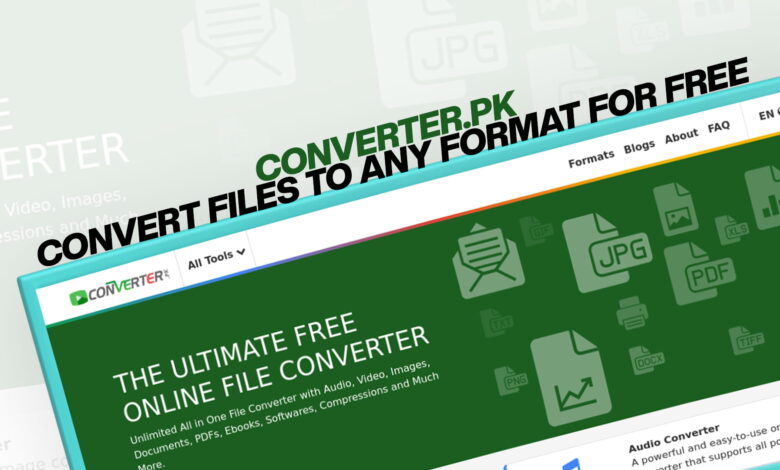
Converter.pk is a powerful, easy-to-use online platform that lets you convert almost any type of file into a format that works best for you. Whether you are a student, a professional, a small business owner, or just someone who loves browsing the internet, this tool can save you a lot of time and effort. There is no need to download any heavy software, no need to pay for a subscription, and no need to be a tech expert. All you have to do is visit the website, upload your file, choose the output format, and let the tool do all the work.
In this article, we will explore everything you need to know about Converter.pk — what it offers, how it works, why it stands out from other tools, and how you can use it to make your digital life much easier.
What is Converter.pk?
Converter.pk is a free online file conversion platform. It is designed to help users convert files from one format to another without any cost or technical knowledge. The platform supports a very wide range of file types, including images, audio files, videos, documents, PDFs, eBooks, software files, and compressed files.
What makes this platform different from many other online tools is how simple and clean it is. The interface is designed so that even a beginner can understand it right away. You do not need to create an account or sign in to use the basic features. Just open the website and start converting.
The platform is completely web-based. This means you can use it from any device — a laptop, desktop computer, tablet, or even your smartphone. As long as you have an internet connection and a browser, you are good to go.
Why Do You Need a File Converter?
Before we dive deeper into what Converter.pk offers, let us talk a little about why you might need a file converter in the first place.
Think about your daily digital life. You receive files from different people in different formats. Your colleague sends a report in a format you cannot open on your computer. You downloaded a song, but your music player does not support that file type. You want to send photos to someone, but the file size is too large. You need to submit a document in PDF format, but you only have it as a Word file.
These are just a few of the many situations where a file converter becomes absolutely necessary. In the past, people had to download expensive software programs to handle these tasks. Many of those programs were complicated to use, took up a lot of space on the computer, and sometimes even came with unwanted programs or viruses.
Today, online tools like Converter.pk have made all of this much simpler and safer. You can convert your files in seconds, right from your browser, without installing anything on your device.
File Types Supported by Converter.pk
One of the biggest strengths of this platform is the number of file formats it supports. Let us take a closer look at each category.
Image Conversion
Images come in many different formats. Some of the most common ones include JPG, PNG, GIF, BMP, TIFF, SVG, WEBP, and ICO. Each format has its own strengths and is best suited for different situations. For example, JPG is great for photographs, while PNG is better when you need a transparent background. SVG is perfect for logos and icons because it can be resized without losing quality.
Converter.pk allows you to convert images from one format to another quickly and easily. If you need a PNG file but only have a JPG, just upload it and convert it within seconds. This is especially useful for web designers, bloggers, photographers, and social media managers who work with images on a daily basis.
Audio Conversion
Music and audio files also come in a variety of formats. MP3 is probably the most popular one, but there are many others like WAV, AAC, FLAC, OGG, WMA, and M4A. Different devices and apps support different audio formats. For example, some music players only support MP3 files, while others can handle FLAC or WAV.
With Converter.pk, you can convert your audio files from any supported format to another. Whether you need to convert a WAV file to MP3 for your phone or a FLAC file to AAC for your Apple device, the platform has you covered. The conversion is fast, and the audio quality is maintained as well as possible during the process.
Video Conversion
Video files are some of the largest and most complicated file types to work with. Common video formats include MP4, AVI, MOV, MKV, WMV, FLV, WEBM, and more. Different platforms and devices support different formats. For example, some social media platforms prefer MP4, while older video players might only support AVI.
If you have a video in a format that your device or app cannot play, Converter.pk can convert it into a compatible format. This is very helpful for content creators, educators, and anyone who works with video on a regular basis.
Document Conversion
Documents are something almost everyone works with. Common document formats include DOCX (Microsoft Word), DOC, TXT, RTF, ODT, and many more. Sometimes you need to convert a document from one format to another for compatibility reasons, for editing purposes, or just to make it easier to share.
Converter.pk supports document conversion so you can move your files between different formats without losing formatting or content. This is a huge time-saver for office workers, students, and writers.
PDF Conversion
PDF is one of the most widely used file formats in the world. It is used for official documents, forms, reports, invoices, presentations, and so much more. The reason PDF is so popular is that it renders the same on any device and is not easily editable.
However, sometimes you need to convert a PDF into another format — for example, to edit it in Word, or to extract the text as a plain text file. Converter.pk supports PDF conversion in both directions. You can convert other formats into PDF, and you can also convert PDF files into other formats. This feature is extremely valuable for businesses, legal professionals, educators, and students.
eBook Conversion
eBooks are digital books that can be read on eReaders, tablets, phones, and computers. Common eBook formats include EPUB, MOBI, AZW, PDF, and LIT. Different eReaders support different formats. For example, Amazon Kindle devices primarily use MOBI or AZW files, while most other eReaders prefer EPUB.
If you have an eBook in a format that your device cannot read, Converter.pk can help you convert it to the right format. This is perfect for avid readers who love to collect digital books and read them on multiple devices.
Software File Conversion
Software and application files come in many different formats depending on the operating system and development environment. Converter.pk also provides conversion support for various software-related file formats, making it a versatile tool for developers and tech-savvy users who need to work with different systems.
Compressed File Conversion
Compressed files are used to reduce file size for easier storage and sharing. Common compressed file formats include ZIP, RAR, TAR, GZ, 7Z, and more. Sometimes you need to convert a compressed file from one format to another because a specific program or system only supports a certain format.
Converter.pk supports the conversion of compressed files, which is incredibly useful for IT professionals, system administrators, and anyone who regularly shares large amounts of data.
How to Use Converter.pk – Step by Step
Using this platform is incredibly simple. Here is a quick step-by-step guide on how you can convert a file.
Step 1: Open the website. Go to converter.pk using your preferred web browser on any device.
Step 2: Select Your File Category Once you are on the homepage, you will see different categories for conversion — images, audio, video, documents, PDF, eBooks, and more. Click on the category that matches the type of file you want to convert.
Step 3: Choose the Conversion Type. Inside each category, you will see different conversion options. For example, under images, you might see options like “JPG to PNG,” “PNG to JPG,” “GIF to MP4,” and so on. Choose the conversion type that you need.
Step 4: Upload Your File. Click the upload button, then select the file from your device you want to convert. Some conversions also allow you to paste a URL if the file is hosted online.
Step 5: Start the Conversion. Click the convert button. The tool will process your file and convert it into the desired format. This usually takes just a few seconds depending on the size of the file.
Step 6: Download Your Converted File Once the conversion is complete, you will see a download link. Click on it to save the converted file to your device. That is it — done!
Key Features That Make Converter.pk Stand Out
There are many online file converters available today, but not all of them are created equal. Here are some key features that make Converter.pk a top choice for users around the world.
Completely Free to Use
This is one of the most important things about this platform. You do not have to pay a single penny to use it. There are no hidden charges, no premium plans required for basic conversions, and no credit card details needed. Just go to the site and start converting — it is that simple.
No Software Installation Required
Many traditional file converters require you to download and install software on your computer. This takes time, takes up storage space, and can sometimes lead to compatibility issues or security risks. Converter.pk is entirely web-based, which means there is nothing to install. You use it directly in your browser.
Supports a Huge Variety of Formats
As we discussed earlier, the platform supports an incredibly wide range of file types across multiple categories. Whether you need to convert an image, an audio file, a video, a document, a PDF, an eBook, a software file, or a compressed archive, you can find the right conversion option here.
Fast and Efficient Conversion
Nobody wants to wait a long time for a file to be converted. Converter.pk is built for speed. Most conversions are completed within seconds, even for moderately large files. This makes it perfect for people who are always busy and need things done quickly.
Works on All Devices
Because the platform is web-based, it works perfectly on all devices — Windows computers, Mac computers, Linux systems, Android phones, iPhones, and tablets. You do not need to worry about whether the tool is compatible with your device. As long as you have a browser, it will work.
User-Friendly Interface
The design of the platform is clean, simple, and easy to navigate. Even if you are not tech-savvy, you will find it very easy to use. The layout is logical, and everything is clearly labeled so you always know exactly what you are doing.
Safe and Secure
When you upload a file for conversion, privacy and security are important concerns. Converter.pk takes user security seriously. Files uploaded for conversion are processed safely and are not stored permanently on the servers, which means your data is protected.
Who Can Benefit from Converter.pk?
The truth is, almost anyone who uses a computer or smartphone can benefit from this tool. But let us look at some specific groups of people who will find it especially useful.
Students
Students deal with a lot of different types of files — assignment documents, research PDFs, lecture slides, audio recordings, video tutorials, and more. Sometimes they need to convert a file for a specific purpose — like turning a Word document into a PDF for submission, or converting a video lecture into audio so they can listen on the go. Converter.pk makes all of these tasks easy and free.
Office Workers and Professionals
In a professional setting, file compatibility is always a concern. You might receive a document in a format your software cannot open, or you might need to send a file in a specific format to a client. Having a reliable and free converter at your fingertips saves a lot of hassle and keeps your workflow smooth.
Content Creators and Bloggers
Whether you are a blogger, a YouTuber, a podcaster, or a social media influencer, you work with many types of files every day. You might need to convert images for your blog, audio files for your podcast, or videos for different platforms. Converter.pk handles all of these needs in one place.
Designers and Developers
Graphic designers and web developers often need to convert images, icons, and other visual assets into different formats for use in their projects. Developers may also need to work with compressed or software-related files in specific formats. This platform provides an easy solution for all of these needs.
Readers and Book Lovers
If you love reading eBooks on different devices, you probably already know the frustration of format incompatibility. Converter.pk makes it easy to convert your eBooks into the format your device supports, so you can always enjoy your favorite books wherever you are.
Small Business Owners
Running a small business means juggling many tasks at once, often with limited resources. Having a free and reliable file conversion tool can save both time and money. From converting product images to preparing PDF invoices, Converter.pk is a practical everyday tool for business owners.
How Converter.pk Compares to Desktop Software
Many people are still using old-fashioned desktop software for file conversion. Programs like Adobe Acrobat, HandBrake, VLC, and others are popular among users who prefer offline tools. While these programs certainly have their place and their own strengths, they also come with some significant drawbacks when compared to a modern online tool.
First of all, desktop software usually costs money. Some programs charge a one-time license fee while others require a monthly or yearly subscription. For a student or a small business owner on a tight budget, this can be a real problem. Converter.pk, on the other hand, is completely free.
Second, desktop software takes up storage space on your device. If you have an older computer or a smartphone with limited storage, installing multiple conversion programs can slow down your device or fill up your storage quickly. Since Converter.pk works entirely in the browser, none of your storage is used.
Third, desktop software needs to be updated regularly to stay compatible with new file formats and operating system updates. Managing software updates can be time-consuming and frustrating. An online tool like Converter.pk is always up to date on the server side, so you never have to worry about running outdated software.
Of course, desktop tools do have advantages too — they can often handle very large files better, and they work even without an internet connection. But for the vast majority of everyday conversion tasks, an online platform is more than capable of getting the job done, and it does so with far less hassle.
Common Conversion Scenarios and How Converter.pk Helps
Let us walk through some real-life situations where this tool can make a big difference.
Scenario 1: Submitting an Assignment. A student has written an essay in Microsoft Word. The teacher requires it to be submitted as a PDF. Instead of buying expensive software, the student simply uploads the DOCX file to Converter.pk and downloads it as a PDF. The whole process takes less than a minute.
Scenario 2: Sharing Photos Online A photographer has taken photos in TIFF format for maximum quality. However, TIFF files are very large and not suitable for sharing on social media. Using the image converter, they convert the TIFF files to optimized JPG files that are smaller but still look great online.
Scenario 3: Listening to Music on an Old Device A music lover has a collection of FLAC audio files, which offer the highest audio quality. However, their old MP3 player only supports the MP3 format. They use the audio converter to convert all their FLAC files to MP3 and can now enjoy their music on the old device.
Scenario 4: Watching a Video on a Phone. Someone downloaded a movie in MKV format, which their smartphone does not support. They convert the MKV file to MP4 using the video converter, and now they can watch it on their phone without any issues.
Scenario 5: Reading an eBook on Kindle. A reader purchased an eBook in EPUB format, but they own a Kindle, which prefers MOBI format. They convert the EPUB file to MOBI using the eBook converter, and the book opens perfectly on their Kindle.
These are just a few examples, but they show just how practical and useful this tool can be in everyday situations.
Tips for Getting the Best Results from Converter.pk
To make the most of your experience with this platform, here are a few useful tips.
Always make sure you know what format you need before you start the conversion. If you are not sure which format to choose, do a quick search to find out which one is best for your specific use case.
Keep your file sizes reasonable for faster conversions. Very large files may take slightly longer to process.
After downloading your converted file, test it to make sure it works correctly on your device or in the application you intend to use.
If you are converting images for web use, consider choosing a format that offers a good balance between quality and file size, such as WEBP or optimized JPG.
The Future of Online File Conversion
The world of digital files is always changing. New formats are being introduced regularly, and technology is advancing at a fast pace. This means that the need for reliable file conversion tools is only going to grow in the coming years.
Platforms like Converter.pk are at the forefront of this change, providing users with free, accessible, and easy-to-use tools that keep up with the latest developments in file formats and technology. As more people around the world come online and start using digital files for work, education, and entertainment, tools like this will become even more essential.
The convenience of being able to convert any file from any device, for free, in just a few seconds, is truly a game-changer. It removes barriers that used to make digital work complicated and expensive, and it puts powerful tools in the hands of everyday users.
Final Thoughts
In a world where we deal with dozens of different file formats every day, having a free and reliable file converter is not a luxury — it is a necessity. Converter.pk has managed to bring together an impressive collection of conversion tools in one simple, fast, and free platform that anyone can use.
Whether you need to convert an image, an audio file, a video, a document, a PDF, an eBook, a software file, or a compressed archive, this platform has got you covered. It works on all devices, requires no installation, and does not cost anything to use. It is hard to think of a reason not to try it.
So the next time you are stuck with a file in the wrong format, do not stress. Just head over to Converter.pk and convert it in seconds. It truly is one of the most useful free tools available online today, and once you start using it, you will wonder how you ever managed without it.
Want to discover more useful digital tools, tech tips, and online resources? Visit Techietalks — your go-to destination for the latest technology news, reviews, tutorials, and everything in between. Whether you are a beginner or a tech enthusiast, Techietalks has something for everyone. Explore, learn, and stay ahead in the digital world.