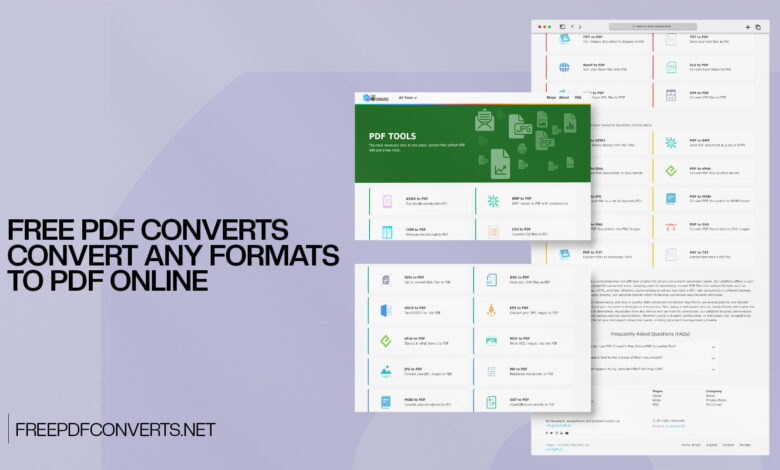

PDF files are everywhere. You see them in your email inbox, on company websites, in school portals, and across almost every industry in the world. They are the go-to format for sharing documents because they look the same on every device and cannot be changed easily. But as useful as PDFs are, they can also be frustrating to work with — especially when you need to convert them to another format, or when you need to convert other files into PDF.
Most people have been in a situation where they received a PDF but could not edit it, or they had a Word document, an Excel spreadsheet, or a set of images that needed to be turned into a clean, professional-looking PDF. In the past, doing any of this required expensive software or complicated tools that were hard to understand.
Today, things are very different. FreePDFConverts is a completely free online platform that makes PDF conversion simple, fast, and accessible to absolutely everyone. Whether you need to convert a document to PDF, extract content from a PDF, or change your PDF into another format, this tool can handle it all with just a few clicks.
In this article, we will cover everything you need to know about FreePDFConverts — what it is, how it works, what formats it supports, who can benefit from it, and why it is one of the best free PDF tools available online today.
What Is FreePDFConverts?
FreePDFConverts is a free, web-based platform designed specifically for PDF conversion. Unlike general-purpose file converters, this tool is focused entirely on PDF, which means it is built to handle all things PDF-related with a high level of accuracy and ease.
The platform allows users to convert files to PDF from a wide range of formats, and it also allows users to convert PDF files into other common formats. Everything happens online, directly in your web browser. There is no need to download any software, no need to create an account, and absolutely no cost involved.
What makes FreePDFConverts especially appealing is how clean and simple it is to use. The tool is designed for everyday users, not just tech professionals. Even someone who has never used an online converter before can figure it out in a matter of seconds.
Why PDF Is So Important
Before we explore the features of FreePDFConverts in more detail, it helps to understand why PDF is such an important file format and why having a reliable PDF converter matters.
PDF stands for Portable Document Format. It was created by Adobe in the early 1990s and has since become the global standard for sharing documents. The reason PDF is so widely used comes down to a few key advantages.
A PDF file looks the same no matter what device, operating system, or software is used to open it. Whether you open it on a Windows PC, a Mac, an Android phone, or an iPhone, the layout, fonts, images, and formatting will all appear exactly as intended. This makes PDF the perfect choice for official documents, contracts, invoices, reports, resumes, and anything else where visual consistency matters.
PDF files are also difficult to edit without specialized software. This is actually a feature rather than a drawback in many cases — it means that when you send someone a PDF, you can be confident they will not accidentally or intentionally alter the content.
However, this same characteristic can become a challenge when you genuinely need to edit a PDF or extract information from it. That is exactly where FreePDFConverts steps in to help.
What Can You Do with FreePDFConverts?
The platform covers both directions of PDF conversion — converting other formats into PDF, and converting PDF into other formats. Here is a detailed look at what is possible.
Convert Documents to PDF
One of the most common tasks people need is turning a document into a PDF. Whether it is a Word file, a text document, or a presentation, converting it to PDF ensures that it will look professional and consistent when shared with others.
FreePDFConverts supports conversion from popular document formats like DOCX, DOC, TXT, RTF, and ODT into PDF. This is incredibly useful for students submitting assignments, professionals sharing reports, and businesses sending out official communications. Instead of worrying about whether the recipient has the right software to open your document, simply convert it to PDF, and you are done.
Convert PDF to Word
This is one of the most requested features in the world of PDF tools. Sometimes you receive a PDF that you need to edit — perhaps it is a form you need to fill out, a report you need to update, or a template you need to modify. Since PDFs are not easily editable, the solution is to convert the PDF into a Word document, make your edits, and then convert it back to PDF if needed.
FreePDFConverts makes this process straightforward. The conversion preserves the layout, text, and formatting of the original PDF as closely as possible, giving you a Word document that is ready to edit.
Convert PDF to Excel
If you have ever had a PDF that contains a table of data — financial figures, a list of names and numbers, product information — you know how painful it can be to manually retype all that information into a spreadsheet. FreePDFConverts can convert a PDF into an Excel file, saving you hours of manual data entry.
This feature is especially valuable for accountants, data analysts, researchers, and business owners who regularly deal with PDF reports and need to work with the data inside them.
Convert PDF to PowerPoint
Presentations are another area where PDF conversion comes in handy. If someone shares a presentation in PDF format but you need to edit the slides or repurpose the content, converting it to PowerPoint gives you full access to each slide so you can make changes, add content, or incorporate it into a new presentation.
Convert Images to PDF
Sometimes you have a collection of photos or scanned images that you need to combine into a single, organized PDF document. This is a very common need for people who scan physical documents using their phone, students who photograph textbook pages, or professionals who need to compile visual content into a report.
FreePDFConverts allows you to upload images — such as JPG, PNG, BMP, or TIFF files — and convert them into a single PDF. This is much cleaner and more professional than sending multiple individual image files.
Convert PDF to Images
The reverse is also possible. If you have a PDF and need to extract specific pages as image files — for use in a presentation, a website, social media, or any other purpose — you can convert those PDF pages into high-quality image files. This is useful for designers, marketers, teachers, and anyone who works with visual content.
Convert Spreadsheets to PDF
Excel spreadsheets are great for data management, but sharing them can sometimes cause formatting issues — especially if the recipient does not have Excel installed. Converting your Excel file to PDF solves this problem instantly. The data looks clean, organized, and professional, and it will display the same way for every recipient.
FreePDFConverts supports the conversion of Excel files and other spreadsheet formats into PDF with just a few clicks.
Convert Presentations to PDF
Similarly, PowerPoint presentations can be converted to PDF for easy sharing. This is especially useful when you want to share your slides with an audience after a meeting or lecture, without giving them access to the editable version. A PDF presentation is also much smaller in file size, making it easier to email or upload.
How to Use FreePDFConverts – A Simple Step-by-Step Guide
Using FreePDFConverts is one of the easiest things you will ever do online. Here is exactly how it works.
Step 1: Open the Website. Go to FreePDFConverts using your web browser. The homepage is clean and easy to navigate, with all the main conversion options clearly visible.
Step 2: Choose Your Conversion Type. Decide what you want to do. Do you want to convert a file to PDF, or do you want to convert a PDF to another format? Click on the appropriate option.
Step 3: Upload Your File. Click the upload button and select the file from your computer, phone, or tablet. Some conversions may also support uploading from a URL or cloud storage.
Step 4: Start the Conversion. Once your file is uploaded, click the convert button. The tool will process your file and convert it in just a few seconds.
Step 5: Download the Result. When the conversion is complete, a download button will appear. Click it to save your converted file to your device. You now have your file in the new format, ready to use.
The entire process from start to finish usually takes less than a minute, even for moderately large files.
Key Features That Make FreePDFConverts a Top Choice
There are plenty of online PDF tools available, but FreePDFConverts stands out for several important reasons. Here is a closer look at what makes it special.
It Is Completely Free
The most obvious and important feature is the price — there is none. FreePDFConverts is entirely free to use. There are no hidden fees, no premium tiers that lock important features behind a paywall, and no subscription charges. You get access to all the conversion tools without spending a single penny.
This is a big deal because many competing tools start free but then ask you to pay once you try to download your converted file. With FreePDFConverts, what you see is what you get — completely free conversion from start to finish.
No Software to Install
Because FreePDFConverts is fully web-based, there is nothing to download or install on your device. This is a major advantage for several reasons. It means you do not use up storage space on your computer. It means there are no compatibility issues with your operating system. And it means you do not have to worry about malware or unwanted programs sneaking onto your device through an installation process.
All you need is a working internet connection and a modern browser, and you are ready to go.
Works on Any Device
Whether you are on a Windows PC, a Mac, a Linux computer, an Android phone, or an iPhone, FreePDFConverts works perfectly. The platform is responsive and adapts to different screen sizes, so it is just as easy to use on a smartphone as it is on a desktop monitor.
This cross-device compatibility is incredibly useful in today’s world, where people switch between multiple devices throughout the day.
Fast Conversion Speed
Nobody wants to wait around for a file to be processed. FreePDFConverts is built for speed. The conversion happens on powerful servers, which means most files are converted within seconds. Even if you are converting a large multi-page document or a high-resolution image, the tool processes it quickly and efficiently.
Accurate Output Quality
Speed is important, but accuracy matters even more. FreePDFConverts produces high-quality output files that accurately reflect the content of the original. When you convert a Word document to PDF, the layout and formatting are preserved. When you convert a PDF to Excel, the data is correctly extracted into cells and columns. The attention to conversion quality is one of the things that makes this tool so reliable.
Secure File Handling
When you upload a file to any online service, you want to know that your data is safe. FreePDFConverts treats user privacy and security seriously. Files that are uploaded for conversion are processed securely and are not stored on the servers for long periods. Once your file has been converted and downloaded, it is removed from the system to protect your privacy.
Simple and Clean Interface
The design of the platform is clean, minimal, and very easy to navigate. There are no confusing menus, no overwhelming advertisements, and no unnecessary distractions. Everything is laid out logically so that you can find what you need quickly and complete your conversion without any frustration.
Who Should Use FreePDFConverts?
The honest answer is — almost anyone. But let us look at some specific groups of people who will find this tool particularly valuable.
Students and Teachers
Education involves a huge amount of document sharing. Students submit assignments, teachers distribute notes, and schools send home forms — all in various formats. FreePDFConverts makes it easy for students to convert their assignments into the required format before submission. Teachers can convert their lesson materials into PDFs for easy distribution. And everyone can extract content from PDF files when they need to work with the information inside.
Office Workers and Business Professionals
In a professional setting, documents need to look polished and consistent. Sending a PDF instead of a Word or Excel file ensures that the formatting is preserved and the document looks professional to the recipient. Business professionals can use FreePDFConverts to quickly convert reports, proposals, invoices, and contracts to PDF before sharing them with clients, partners, or colleagues.
Freelancers and Self-Employed Individuals
Freelancers often need to send invoices, contracts, and proposals in PDF format. But they also frequently receive PDFs that they need to edit or extract data from. FreePDFConverts handles both needs, making it a practical everyday tool for anyone who works independently.
Accountants and Financial Professionals
Financial data often comes in PDF format — bank statements, tax documents, and financial reports. Converting these PDFs to Excel allows accountants and financial professionals to work with the numbers directly, perform calculations, build charts, and include the data in their own reports. This saves a tremendous amount of time compared to manually retyping data.
Designers and Creative Professionals
Designers often work with multiple file formats and need to present their work in a clean, professional format. Converting images, layouts, or presentation slides to PDF is a common task. FreePDFConverts makes this quick and painless.
Small Business Owners
Running a small business comes with a lot of paperwork. Quotes, invoices, contracts, product catalogs, and marketing materials all need to be created and shared in formats that look good and work for everyone. FreePDFConverts gives small business owners a free and reliable way to manage their document needs without paying for expensive software.
Researchers and Writers
Research papers, manuscripts, and articles often need to be submitted in PDF format. Writers and researchers can use FreePDFConverts to easily convert their work into the required format. They can also convert PDF sources into editable formats when they need to quote or reference specific passages.
FreePDFConverts vs. Paid PDF Software
You might be wondering how FreePDFConverts stacks up against well-known paid PDF tools like Adobe Acrobat or Nitro PDF. It is a fair question, and the answer depends on what you need.
Paid PDF software generally offers more advanced features — things like full PDF editing, digital signatures, advanced OCR (optical character recognition), batch processing for large numbers of files, and deep integration with other business tools. If you are a large organization with complex PDF workflows, investing in professional software might make sense.
However, for the vast majority of everyday users, FreePDFConverts covers everything they need — and it does so completely free. If you need to convert a document to PDF, turn a PDF into an editable Word file, extract tables from a PDF into Excel, or merge a set of images into a PDF, this tool handles all of it without any cost or complexity.
The value proposition is clear: why pay for an expensive subscription when a free tool can handle your everyday needs just as well?
Real-Life Situations Where FreePDFConverts Saves the Day
Sometimes it helps to think about this tool in the context of real, everyday situations.
Imagine you are a job seeker who has just finished updating your resume in Microsoft Word. The job posting asks you to submit your resume as a PDF. You do not have Adobe Acrobat installed. No problem — use FreePDFConverts to convert your Word file to PDF in seconds, and your resume will look clean and professional in the recipient’s inbox.
Or imagine you are a small business owner who just received a supplier’s price list as a PDF. You want to add this data to your own Excel spreadsheet to compare prices. Instead of retyping every single item, you convert the PDF to Excel using FreePDFConverts and have all the data ready in a spreadsheet within moments.
Or perhaps you are a student who scanned five pages of handwritten notes on your phone and saved them as images. You want to send them to a classmate in a single, organized file. You convert all five images to a single PDF using FreePDFConverts and send one neat file instead of five separate images.
These are the kinds of everyday situations where FreePDFConverts proves its worth — saving time, reducing frustration, and making digital life that much easier.
The Bigger Picture: Why Free Online Tools Matter
It is worth stepping back for a moment to appreciate the bigger picture. Access to free, high-quality digital tools has a real and meaningful impact on people’s lives, especially for those who cannot afford expensive software.
A student in a developing country should have the same ability to format their assignment as a student in a wealthy university. A small business owner should not have to pay hundreds of dollars a year just to convert a few documents. A teacher in an underfunded school should have access to the same tools as a corporate office worker.
FreePDFConverts embodies this spirit of accessibility. By offering powerful PDF conversion tools completely free of charge, it levels the playing field and puts useful technology in the hands of everyone — regardless of their budget or technical background.
Final Thoughts
PDF is one of the most important file formats in the digital world, and being able to convert files to and from PDF is a skill that benefits almost every person who uses a computer or smartphone. FreePDFConverts makes this possible for everyone — for free, with no software installation, no complicated steps, and no hidden costs.
Whether you are a student, a professional, a business owner, or just someone who occasionally needs to deal with PDF files, this platform is a tool you will want to keep bookmarked. It is fast, reliable, secure, and simple to use. And best of all, it costs absolutely nothing.
The next time you find yourself stuck with a PDF you cannot edit, or a document that needs to be turned into a PDF before you can send it, remember that FreePDFConverts is just a few clicks away. Try it once, and you will never want to go back to the old, complicated ways of handling PDF files.
Looking for more helpful tech tools, tutorials, and digital tips? Head over to Techietalks — a trusted platform packed with technology insights, product reviews, how-to guides, and the latest in the world of digital tools. Whether you are a beginner finding your feet online or an experienced tech user looking to sharpen your skills, Techietalks has everything you need to stay informed and empowered in the digital age.