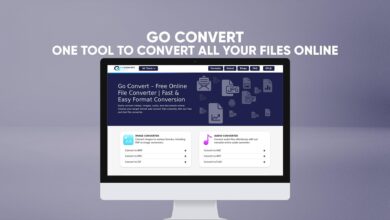
Convertio – Convert Your Files to Any Format
We deal with so many different types of files—images, videos, audios, PDFs, and documents. Each file format serves a different purpose, but sometimes we need to convert one format into another to make it compatible with a device, program, or platform. That’s where Convertio comes in.
Convertio is a simple, free, and fast online tool that helps you convert files of almost any type—without installing any software or creating an account. It’s an all-in-one file converter that works directly from your browser and supports conversions for images, audio, videos, documents, PDFs, eBooks, compressed files, and even software files.
In this article, we’ll take a deep dive into what Convertio is, how it works, its best features, and why it has become one of the most trusted online file converters on the internet.
What Is Convertio?
Convertio is an online file conversion platform that allows users to convert files from one format to another instantly. Whether you want to change a JPG image into a PNG, an MP4 video into an AVI, or a PDF into a Word document, Convertio handles it all with just a few clicks.
The best part is that it works directly in your browser. You don’t need to download any app or software. Everything happens online—fast, safely, and for free.
Convertio is designed for everyone—students, professionals, content creators, or anyone who needs to convert files occasionally. It’s simple enough for beginners but powerful enough for advanced users who need multiple formats supported.
Why Convertio Is So Useful
Every day, people face file compatibility issues. You might need to upload a video to a platform that doesn’t support its current format, or send an image in a smaller file size. Instead of searching for separate tools for each file type, Convertio offers everything in one place.
Here’s why Convertio stands out:
-
No software installation – it’s all online.
-
Completely free – convert files without paying.
-
Works on all devices – computer, tablet, or phone.
-
Fast conversion speed – files convert in seconds.
-
Supports 300+ file formats – one of the widest selections online.
-
Safe and private – your files are automatically deleted after conversion.
Simply upload your file, choose the format you want, and download your new file—it’s that easy.
How Convertio Works
Using Convertio is straightforward. The platform is designed to make file conversion simple for everyone, even if you have never used an online converter before.
Here’s a step-by-step guide:
-
Open Convertio
Visit Convertio from your browser. You’ll see a clean interface with an option to upload your files. -
Upload Your File
Click on “Choose Files” to upload a file from your computer, phone, or cloud storage. You can also drag and drop files directly onto the website. -
Select the Output Format
Choose the format you want to convert your file into. For example, convert a DOC to PDF, MP3 to WAV, JPG to PNG, etc. -
Start the Conversion
Hit the “Convert” button and wait a few seconds. The conversion happens quickly on Convertio’s secure cloud servers. -
Download the Converted File
Once the process is complete, click “Download” to save your new file. You can now use or share it immediately.
That’s it—no registration, no hidden steps, and no watermarks.
Supported File Types
Convertio supports a wide range of file types, covering nearly every need you can imagine. Below is a breakdown of the main categories it supports:
1. Image Conversions
You can convert between image formats like JPG, PNG, GIF, BMP, TIFF, and more.
Convertio helps you adjust your image quality or size without losing clarity.
Examples:
-
JPG → PNG
-
PNG → WEBP
-
TIFF → JPG
-
BMP → GIF
This is useful for designers, photographers, or anyone working with digital images.
2. Audio Conversions
Convertio supports all popular audio formats such as MP3, WAV, M4A, OGG, AAC, and FLAC.
You can convert music, voice recordings, or podcasts for compatibility with editing software or devices.
Examples:
-
MP3 → WAV
-
AAC → MP3
-
FLAC → OGG
It’s perfect for audio editors and musicians who need quick format changes.
3. Video Conversions
If you work with videos, Convertio is your best friend. It supports many video formats, including MP4, AVI, MOV, MKV, WMV, and more.
Examples:
-
MP4 → AVI
-
MOV → MP4
-
WMV → MKV
You can even compress large video files to reduce size while keeping the quality intact. Great for social media uploads or online sharing.
4. Document Conversions
Convertio helps you handle document conversions easily. It supports DOC, DOCX, PDF, TXT, PPT, XLS, and more.
Examples:
-
PDF → Word (DOCX)
-
Word → PDF
-
PowerPoint → PDF
-
Excel → CSV
It’s especially helpful for students, teachers, and professionals who deal with documents daily.
5. PDF Conversions
PDF files are common in business and education. Convertio lets you convert PDFs into editable formats and vice versa.
Examples:
-
PDF → Word
-
PDF → Excel
-
PDF → Image
-
Image → PDF
You can also combine or split PDF files using Convertio’s advanced tools.
6. eBook Conversions
Convertio can convert between eBook formats like EPUB, MOBI, FB2, and AZW3.
This is useful for people who read or create digital books and want compatibility with different e-readers.
Examples:
-
EPUB → MOBI
-
PDF → EPUB
-
MOBI → AZW3
7. Software File Conversions
Convertio even supports software file formats like ISO, BIN, and DMG.
You can convert these to make them work with different operating systems.
Examples:
-
ISO → ZIP
-
BIN → ISO
8. Compressed File Conversions
For compressed or archived files, Convertio can convert between ZIP, RAR, 7Z, TAR, and other formats.
Examples:
-
ZIP → RAR
-
RAR → 7Z
-
TAR → ZIP
This is great for users who want to open or repack files in specific formats.
Main Features of Convertio
Convertio offers several powerful features that make it a top choice among online converters:
1. Completely Online
Everything happens in your browser. No software installation required. Just upload, convert, and download.
2. Fast Conversion
Convertio uses advanced cloud technology, which makes file conversions fast and reliable. Even large files convert in seconds.
3. Supports 300+ Formats
With support for over 300 file formats, Convertio covers almost everything—from rare image types to professional audio codecs.
4. Batch Conversion
You can convert multiple files at once. This feature saves time when you have a large number of files.
5. Secure and Private
All conversions happen in a secure cloud environment. Files are automatically deleted from the server after conversion, protecting your privacy.
6. Easy to Use
The interface is simple and intuitive. You don’t need technical knowledge—just a few clicks, and you’re done.
7. Cross-Platform Access
Convertio works on all platforms—Windows, Mac, Linux, iOS, and Android. You can use it anywhere, anytime.
Why Choose Convertio Over Other Tools
There are many online file converters available, but not all are reliable or safe. Convertio stands out for several reasons:
-
Speed and reliability: It uses powerful cloud servers for quick conversions.
-
No sign-up needed: Start converting right away without creating an account.
-
No hidden fees: It’s free to use.
-
Clean interface: No annoying ads or complicated settings.
-
Supports rare formats: You can find conversions that other tools don’t offer.
Whether you’re converting a school project or a professional document, Convertio is built to make it easy and secure.
Convertio for Students and Professionals
Convertio is a great tool for both students and professionals.
Students often need to convert assignments, notes, or presentations to specific formats. Professionals use Convertio for documents, videos, or design files in their daily work.
Examples:
-
Students can convert Word documents to PDF for submission.
-
Teachers can turn PowerPoint slides into videos for online lectures.
-
Designers can change PNG logos into vector formats.
-
Business users can compress large files before sending via email.
No matter the task, Convertio saves time and keeps the process simple.
Convertio’s Privacy and Security
Privacy is a big concern when uploading files online. Convertio ensures full security by processing files in the cloud and deleting them automatically after conversion.
Your files are safe, and nobody can access or share them. The connection is encrypted, which means all your data remains private throughout the process.
Speed and Performance
Convertio’s conversion process is fast because it runs on high-performance cloud servers. You don’t have to wait long, even for large video or audio files.
Unlike desktop software, Convertio doesn’t use your computer’s processing power—it handles everything online, so your system stays light and responsive.
No Installation, No Hassle
Most file converters require you to download software, install plugins, or register before use. Convertio removes all that hassle.
You just open the site, upload a file, and convert. It’s perfect for quick, on-the-go conversions without filling up your storage space.
Convertio and Accessibility
Convertio works on any device with a web browser—desktop, tablet, or mobile. It adjusts automatically to fit your screen, making it convenient to use anywhere.
For instance, if you’re traveling and need to convert a document quickly from your phone, Convertio handles it smoothly without any issues.
How Convertio Helps Save Time
In the fast-moving digital world, time is valuable. Convertio’s quick upload and conversion speed help you complete your work faster.
You don’t have to download apps or worry about updates. Just upload, convert, and move on with your task.
Convertio for Everyday Use
You might be surprised how often you need file conversion in daily life.
Here are some common situations where Convertio comes in handy:
-
You receive a file that your device can’t open.
-
You want to share a video in a smaller format.
-
You need to compress an image to upload to a website.
-
You have a PDF but need it in Word format for editing.
-
You’re creating an eBook and need to change the file type.
In each case, Convertio offers a fast and simple solution.
Conclusion
Convertio is one of the most reliable and user-friendly online file converters available today. It supports a huge range of file formats—images, audio, videos, documents, PDFs, eBooks, software files, and compressed files—all in one place.
With Convertio, you don’t need to download any software or worry about compatibility issues. It’s fast, secure, free, and works on any device. Whether you’re a student, a professional, or just someone who deals with digital files regularly, Convertio makes file conversion effortless.
To experience it yourself, visit Convertio and start converting your files for free.