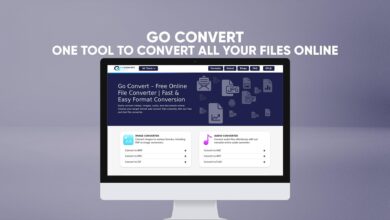
Converter

Online Convert – The Ultimate Free Online File Converter

File conversion has become an essential part of our everyday online activities. Whether you are a student, professional, content creator, or just someone browsing the web, you often need to change a file from one format to another. That’s where Online-Convert becomes a game-changer.

Online-Convert is a free online tool that allows you to convert almost any type of file—images, videos, audio files, documents, PDFs, eBooks, archives, and more—directly from your web browser. No installation, no registration, and no hidden costs. Everything happens online, safely and quickly.

This article explores how Online-Convert works, what types of files it supports, and why it’s one of the best free file conversion tools available today. Let’s take a deep look into how you can make your daily tasks faster and easier with this all-in-one online converter.

What Is Online-Convert?

Online-Convert is a web-based file converter designed to make file format changes simple for everyone. It supports a wide range of conversions, from multimedia files like images, videos, and audio, to documents, PDFs, eBooks, software files, and even compressed archives.

Instead of downloading heavy desktop software, Online-Convert gives you instant access to file conversion right from your browser. All you need is an internet connection, upload your file, choose the desired format, and within seconds, you’ll have your converted file ready to download.

It’s built to handle both small personal files and larger professional conversions while keeping everything secure and private.

Why File Conversion Matters

Every day, people use different devices, apps, and software that support different file formats. Sometimes a file format that works on one platform won’t open on another. This is where file conversion becomes essential.

For example:

  • You have a video in MOV format that won’t play on your Android phone—you can convert it to MP4.

  • A document saved as .docx may not open properly on older systems—you can convert it to PDF.

  • You might want to compress an image without losing quality to upload it faster—you can convert it to JPG or PNG.

Online-Convert bridges this gap by giving you a free and quick way to make your files compatible across platforms and devices.

Key Features of Online-Convert

Let’s explore what makes Online-Convert stand out among other file converters available online.

1. Wide Range of Supported File Types

Online-Convert supports conversion for nearly every file format imaginable. Here are the main categories:

  • Image Converter – Convert between popular image formats like JPG, PNG, BMP, GIF, WEBP, and TIFF.

  • Audio Converter – Change audio formats between MP3, WAV, OGG, AAC, FLAC, and more.

  • Video Converter – Convert videos to MP4, AVI, MOV, MKV, FLV, and others.

  • Document Converter – Convert Word, Excel, PowerPoint, and text files to PDF or other formats.

  • PDF Converter – Turn documents or images into PDF and vice versa.

  • eBook Converter – Convert eBooks to EPUB, MOBI, AZW3, or PDF for compatibility with Kindle and other readers.

  • Archive Converter – Convert or compress files into ZIP, RAR, TAR, and more.

  • Software and Developer Tools – Convert source code files, executables, and configuration files between formats.

2. 100% Free to Use

You don’t have to pay anything to use Online-Convert. All major file conversions are available for free. There’s no need to sign up or install software on your device.

3. Fast and Simple Interface

The interface is clean and easy to understand. You just upload your file, choose your target format, and click “Start.” The process is fast, even for large files.

4. No Software Installation

Because it’s completely online, Online-Convert works on any operating system—Windows, macOS, Linux, or even mobile browsers on Android and iOS.

5. Secure and Private

Files you upload are automatically deleted after conversion. Online-Convert ensures your data stays private and safe from unauthorized access.

6. Supports Cloud Integration

You can upload files directly from Dropbox, Google Drive, or by entering a file URL. This makes it convenient if your files are stored in the cloud.

7. Custom Conversion Settings

Unlike many basic converters, Online-Convert allows you to fine-tune your output. For example:

  • Adjust image size, resolution, and color depth.

  • Trim video or change bitrate.

  • Normalize audio or set specific sampling rates.

  • Choose character encoding for documents.

How to Use Online-Convert

Using Online-Convert is simple, even if you’re not tech-savvy. Here’s a step-by-step guide.

Step 1: Visit the Website

Open Online-Convert in your browser. You’ll see a list of conversion categories such as image, video, audio, and document converters.

Step 2: Choose the Type of Conversion

Select the type of file you want to convert. For example, if you want to convert an image, click on “Image Converter.”

Step 3: Upload Your File

Upload your file from your computer, mobile device, or cloud storage. You can also paste a URL if your file is online.

Step 4: Select Output Format

Choose the format you want to convert your file into, such as JPG, MP4, PDF, or MP3.

Step 5: Customize Settings (Optional)

If needed, adjust the settings like resolution, quality, or file size before conversion.

Step 6: Start Conversion

Click “Start Conversion.” Within seconds, your converted file will be ready for download.

Step 7: Download the File

After conversion is complete, click “Download” to save the new file to your device.

That’s it—no software installation, no complicated setup, and no waiting in line.

Supported File Categories in Detail

To understand the full potential of Online-Convert, let’s explore its conversion tools in more detail.

1. Image Conversion

Convert between image types like JPG, PNG, BMP, GIF, TIFF, and WEBP. You can:

  • Resize or crop images.

  • Change color profiles.

  • Adjust DPI for printing.

  • Compress images without losing quality.

This is perfect for photographers, designers, or anyone managing website images.

2. Video Conversion

With Online-Convert, you can convert videos into any format supported by your device or software. Popular formats include MP4, MOV, AVI, MKV, FLV, and more.
You can also:

  • Change resolution or frame rate.

  • Trim or cut specific parts of a video.

  • Extract audio tracks from videos.

It’s ideal for YouTubers, social media creators, and online marketers.

3. Audio Conversion

Convert your music, voice recordings, and podcasts easily between MP3, WAV, M4A, FLAC, AAC, and others.
Additional options include:

  • Adjusting volume.

  • Changing audio bitrate.

  • Setting mono or stereo output.

Whether you’re preparing sound for editing or converting for a specific player, this feature is a lifesaver.

4. Document and PDF Conversion

Convert between Word, Excel, PowerPoint, text, and PDF files. You can:

  • Turn Word documents into PDF.

  • Convert scanned PDFs to editable text.

  • Change presentations into readable formats.

This is useful for students, teachers, professionals, and anyone working with documents daily.

5. eBook Conversion

For readers and writers, Online-Convert supports EPUB, MOBI, AZW3, FB2, and PDF formats.
You can adjust metadata, font size, and page settings for better reading on Kindle, Kobo, or other devices.

6. Archive and Compressed Files

Compress or extract archives like ZIP, RAR, TAR, and 7Z.
This feature helps when you need to:

  • Send smaller files via email.

  • Package multiple files together.

  • Extract downloaded compressed files online.


Why Choose Online-Convert Over Other Tools

While there are many file converters available, Online-Convert stands out for several reasons:

  • It’s completely free with no signup required.

  • It supports more file types than most other converters.

  • It works faster because it runs directly in your browser.

  • It ensures file privacy by deleting uploads after conversion.

  • It offers custom settings for better control of your output.

Whether you’re on a laptop, tablet, or phone, you can use it anywhere, anytime.

Use Cases: How People Use Online-Convert Every Day

Let’s explore some real-life examples of how people benefit from using Online-Convert:

  • Students: Converting lecture notes into PDFs for easier sharing.

  • Designers: Changing image formats for faster web loading.

  • Video editors: Preparing clips for social media platforms.

  • Musicians: Converting studio audio to MP3 for publishing.

  • Businesses: Turning Word documents into PDFs for contracts and reports.

  • Writers: Formatting eBooks for Kindle or EPUB publication.

It’s a versatile tool that fits into everyone’s workflow.

Performance and Reliability

One of the main advantages of Online-Convert is its performance. It’s optimized to handle multiple files at once, with fast processing and minimal errors. The platform uses strong servers that ensure stability and quick response times even for large files.

Additionally, it supports batch conversion, meaning you can convert several files in one go without having to upload them individually. This saves time and improves productivity.

File Privacy and Security

Privacy is one of the most important concerns when uploading files online. Online-Convert uses secure HTTPS connections to protect your data. Files are automatically deleted after a short time once conversion is complete.

This ensures that your private documents, videos, or images don’t remain stored online or shared with anyone else.

Advantages of Using Online-Convert

  1. Free and Easy Access – No hidden fees or subscriptions.

  2. Cross-Platform Compatibility – Works on desktop and mobile browsers.

  3. Multiple File Types – Handles nearly every format.

  4. Fast Conversion Speed – Even large files convert quickly.

  5. Customizable Output – Adjust settings to your preferences.

  6. No Account Required – Just upload and convert.

  7. Cloud Integration – Import from Google Drive or Dropbox.

  8. Data Safety – Automatic file deletion for privacy.

Limitations to Keep in Mind

While Online-Convert is powerful, it’s good to know its few limitations:

  • It depends on your internet connection speed.

  • Very large files may take longer to upload and process.

  • Free conversions may have file size limits for extremely big media files.

Still, for most users, these limits are reasonable and rarely cause issues.

Tips for Getting the Best Conversion Results

Here are a few simple tips to get smooth and accurate conversions:

  • Make sure your file is complete and not corrupted before uploading.

  • Choose the correct output format based on where you’ll use it.

  • Use the customization settings to improve quality or reduce size.

  • Wait until the conversion is fully complete before downloading.

  • Keep a backup of your original files just in case.

How Online-Convert Helps Businesses and Professionals

In the business world, efficiency and compatibility are everything. Companies deal with thousands of documents, videos, and images daily. Online-Convert simplifies this process by offering instant conversion for:

  • Contracts, invoices, and forms into PDFs.

  • Marketing videos and images for web or print.

  • Audio files for advertisements and training material.

It helps teams save time and stay organized without needing expensive desktop tools.

How Online-Convert Supports Education

Teachers and students can use Online-Convert for academic purposes:

  • Converting lecture slides to PDF.

  • Transforming assignments into readable formats.

  • Compressing images for presentations.

  • Converting research papers for e-readers.

Since it’s free and web-based, it’s perfect for educational environments.

Accessibility and Global Reach

Online-Convert is accessible from anywhere in the world. It supports multiple languages and works seamlessly in all major browsers. You don’t need to worry about compatibility issues or software updates—it’s always up to date.

The Future of Online File Conversion

As technology continues to evolve, tools like Online-Convert will play an even bigger role in keeping digital workflows smooth and efficient. The demand for cloud-based solutions is rising, and online converters like this are paving the way toward a more flexible and accessible digital future.

Conclusion

Online-Convert is more than just a simple file converter—it’s a powerful, free, and reliable online platform that simplifies how you manage digital files. Whether you’re converting videos, images, documents, or archives, it delivers fast, secure, and high-quality results every time.

It’s easy to use, supports countless formats, and doesn’t require installation or registration. From personal users to professionals, Online-Convert fits perfectly into everyday needs.

So next time you need to convert a file, don’t waste time downloading software. Just open Online-Convert, upload your file, and get the format you need instantly—for free.

Leave a Reply

Back to top button